How does Game Boy Color look on the TRIMUI Smart Pro?
Pixel Fit Analysis
Good fit — 5× integer scaling, vertical pillarboxing (63% fill)
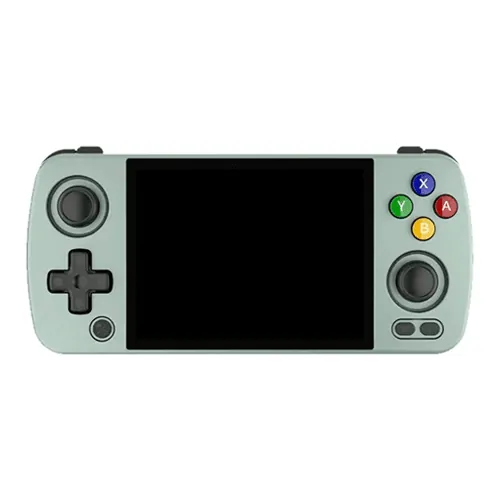
Game Boy Color works well on the TRIMUI Smart Pro, with only minor compromises. The TRIMUI Smart Pro is a traditional landscape handheld with a 5" IPS display running at 1280×720 (16:9). At 5× integer scaling, each original pixel maps to exactly 5×5 screen pixels — no interpolation, no blur.
Emulation rating: great. Good fit with borders The TRIMUI Smart Pro runs on the Allwinner A133 Plus (Cortex-A53 Quad-core 1.8GHz) with 1GB DDR4 of RAM, which is more than enough for Game Boy Color emulation.
Battery life is rated at 5-7 hours (4000mAh), though emulation load varies by title. Wi-Fi is available for netplay and RetroAchievements.
Setup tips for Game Boy Color: Gambatte or mGBA both handle GBC perfectly. Enable the original GBC color palette for authenticity, or use custom palettes for enhanced visibility on small screens. Most GBC games run flawlessly even on the weakest hardware.
Platform notes: Same resolution as original GB. Integer scaling essential.
Game Boy Color outputs at 10:9, while the TRIMUI Smart Pro has a 16:9 screen. This creates vertical pillarboxing (black bars on the sides).
Game Boy Color sits in the sweet spot: demanding enough to benefit from decent hardware, but not so heavy that budget devices struggle. The Allwinner A133 Plus in the TRIMUI Smart Pro handles it with ease.
Priced around $69, the TRIMUI Smart Pro sits in the mid-range. You are paying for better build quality and screen, which matters for Game Boy Color games with detailed pixel art.
The 5" display gives Game Boy Color games plenty of room to breathe. Fine details, status bars, and in-game text are all easy to read.
Platform: Game Boy Color
- Native Resolution
- 160×144
- Aspect Ratio
- 10:9
- Generation
- 5th gen
Device: TRIMUI Smart Pro
- Screen Resolution
- 1280×720
- Screen Size
- 5"
- Panel Type
- IPS
- PPI
- 294